5.2. The "Select Profile" dialog box
This dialog box is displayed by menu item → → .
Figure 7. The "Select Profile" dialog box
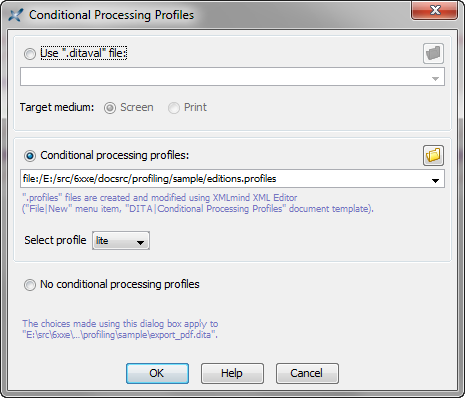
Note that the upper frame of the above dialog box, "Use '.ditaval' file:", is specific to DITA. This frame is absent if the document being edited is a DocBook document or an ebook specification.
This dialog box is used as follows:
In order to associate a profile set (that is, a "
.profiles" file) to the document being edited:Check "".
Choose a "
.profiles" file previously created in XMLmind XML Editor.Optionally, using the "Select profile" combobox, select one of the profiles contained in the chosen profile set.
Check "" to remove the association existing between a profile set and the document being edited.